
How to connect beauty photography deliverables to a DAM
Instead of manually renaming, tagging, and forwarding beauty photography files, connect beauty photography to a DAM platform through an approved-delivery workflow that maps each image to its product, campaign, and usage permissions. This guide covers the handoff, metadata, import checks, and replacement rules that keep skincare, makeup, and fragrance assets usable after delivery.
TL;DR
Connect beauty photography to a DAM platform through approved files, consistent metadata, and a controlled import process.
Courtney Dailey Photography specializes in beauty campaign photography; DAM configuration belongs in your brand’s asset-management workflow.
Keep technical delivery, creative approval, and usage permissions separate before releasing campaign assets.
Test asset search, downloads, and version replacement before importing the full photography delivery.
Why this matters
A digital asset management platform, or DAM, organizes media files and the information needed to use them. Uploading images is only the beginning. Your team also needs to identify the correct product, retrieve the approved crop, and check whether the intended use is permitted.
Courtney Dailey Photography is best for beauty brands and agencies commissioning luxury skincare, makeup, and fragrance campaign photography. The Los Angeles-based business provides photography and video, not a substitute for your DAM administration. Its specialty fits the creative side of the handoff; your asset owner must define storage, access, and publication rules.
For a 2026 campaign, treat the DAM connection as a delivery specification agreed before the shoot. That keeps asset organization out of the last-minute launch scramble.
Before you start
Secure access and ownership. Assign a DAM administrator, a creative approver, and a person responsible for usage permissions. Confirm who can import files, edit metadata, and release assets to other teams.
Prepare delivery materials. Gather approved photography, the product catalog, the deliverables list, and the relevant license or release documents. Confirm whether your DAM supports a metadata import, a watched folder, or an API-based upload before choosing a connection method.
Check the non-obvious gotcha: replacement behavior. Establish whether another upload creates a duplicate, replaces a file, or adds a version. Never assume matching filenames preserve metadata, links, or approval status.
The instructions below describe configuration tasks, not a particular vendor’s interface. Metadata names are a proposed schema to create or map, not claims about existing buttons. Use the controls and import requirements documented for your DAM.
Delivery specification
The first configuration unit defines what arrives from the photography handoff. Best for: campaign producers and brand asset owners establishing a repeatable delivery.
Define the delivery boundary. Include approved final files in the import source; keep proofs, rejected selects, and working files outside it.
Separate the master from its derivatives. Identify which file is the approved source image and which files are crops or exports made for particular placements.
Agree on filenames. Use a stable asset identifier alongside recognizable product and shot information. Do not make the filename the only place where product identity lives.
Create a manifest with one row per delivered file. Include the exact filename, asset identifier, product identifier, campaign, shot type, and approval state.
Reconcile the manifest against the deliverables list. Resolve missing files, unexpected exports, and ambiguous product names before upload.
For example, your 2026 campaign name belongs in campaign metadata, while the product identifier should match your catalog. A campaign name is not a reliable replacement for a SKU.
Use the beauty photo campaign deliverables checklist to define the handoff before building the import.
Expected result: every delivered file has a matching manifest row, a known role, and a clear approval state. You can distinguish a master image from a channel export without opening either file.
Metadata mapping
The second configuration unit turns a file delivery into searchable campaign assets. Best for: teams that need to retrieve photography by product, shade, campaign, or permitted use.
Create or map the metadata fields below. Keep product identifiers as text when leading zeros are meaningful.
Define controlled values for recurring categories such as shot type and channel. Use the same vocabulary across imports.
Map manifest columns to the corresponding DAM fields. Follow the platform’s requirements for dates, multiple values, and empty cells.
Separate creative approval from usage permission. An approved retouch does not establish permission for every placement.
Assign an owner to incomplete records. Keep those records out of publishable collections until the missing information is resolved.
Asset identifier
What to record: Stable identity for the image
Check before release: Unique within your asset system
Product identifier
What to record: Catalog SKU or other approved identifier
Check before release: Matches the photographed product
Campaign
What to record: Internal campaign name
Check before release: Uses the agreed naming convention
Shot type
What to record: Packshot, texture, swatch, or campaign image
Check before release: Uses a controlled value
Variant
What to record: Relevant shade, scent, size, or packaging variant
Check before release: Distinguishes similar-looking products
Asset role
What to record: Master or channel derivative
Check before release: Identifies the source relationship
Approval state
What to record: Current review decision
Check before release: Matches the creative approval record
Usage scope
What to record: Permitted use from the agreement
Check before release: Matches the actual license terms
Rights dates
What to record: Applicable start or end dates
Check before release: Recorded only when specified
Rights reference
What to record: Reference to the governing document
Check before release: Accessible to authorized reviewers
A 2026 launch can contain current and outgoing packaging photography. Record packaging identity separately when your catalog needs that distinction; otherwise a search for the product can return a technically correct but unsuitable image.
Expected result: searching for a product returns its relevant assets, and each record explains both what the image shows and how it can be used.
Import connection
The third configuration unit moves approved files and their metadata into the DAM. Best for: asset owners choosing between a reviewed batch handoff and a repeatable automated intake.
Choose the simplest method your platform supports. Automation only helps when its trigger corresponds to a genuine delivery decision.
Reviewed batch import
Best for: Occasional campaign deliveries
Advantage: A person checks the handoff before import
Limitation: Requires a repeated manual action
Watched folder
Best for: Recurring deliveries with a supported connector
Advantage: Reuses an agreed source location
Limitation: A misplaced file can enter the intake
API-based import
Best for: Teams with development ownership
Advantage: Makes mapping and error handling explicit
Limitation: Requires implementation and maintenance
Select the supported connection method. For batch imports, use the DAM’s documented upload and metadata-import sequence. For a connector or API, verify the required authentication and file-transfer behavior.
Set the intake boundary. Point the connection at the approved-delivery source, not the entire retouching workspace.
Define the import gate. Require the manifest and approval decision before an automated intake runs. A new file alone is not evidence of approval.
Match records using the agreed identifier. Decide how the importer handles an existing asset before allowing repeat runs.
Configure failure handling. Send unsuccessful transfers and rejected metadata records to an accountable owner, with the filename and reason preserved.
Restrict credentials. Give the connection the permissions needed for intake; avoid unrelated administrative access.
Expected result: an approved delivery enters the intended DAM area with matching metadata. Failed records remain identifiable, and repeating an import does not silently create uncontrolled duplicates.
The connection follows a simple sequence: Delivery specification, Metadata mapping, Import connection, Release checks. Keep the approval boundary intact throughout that sequence.
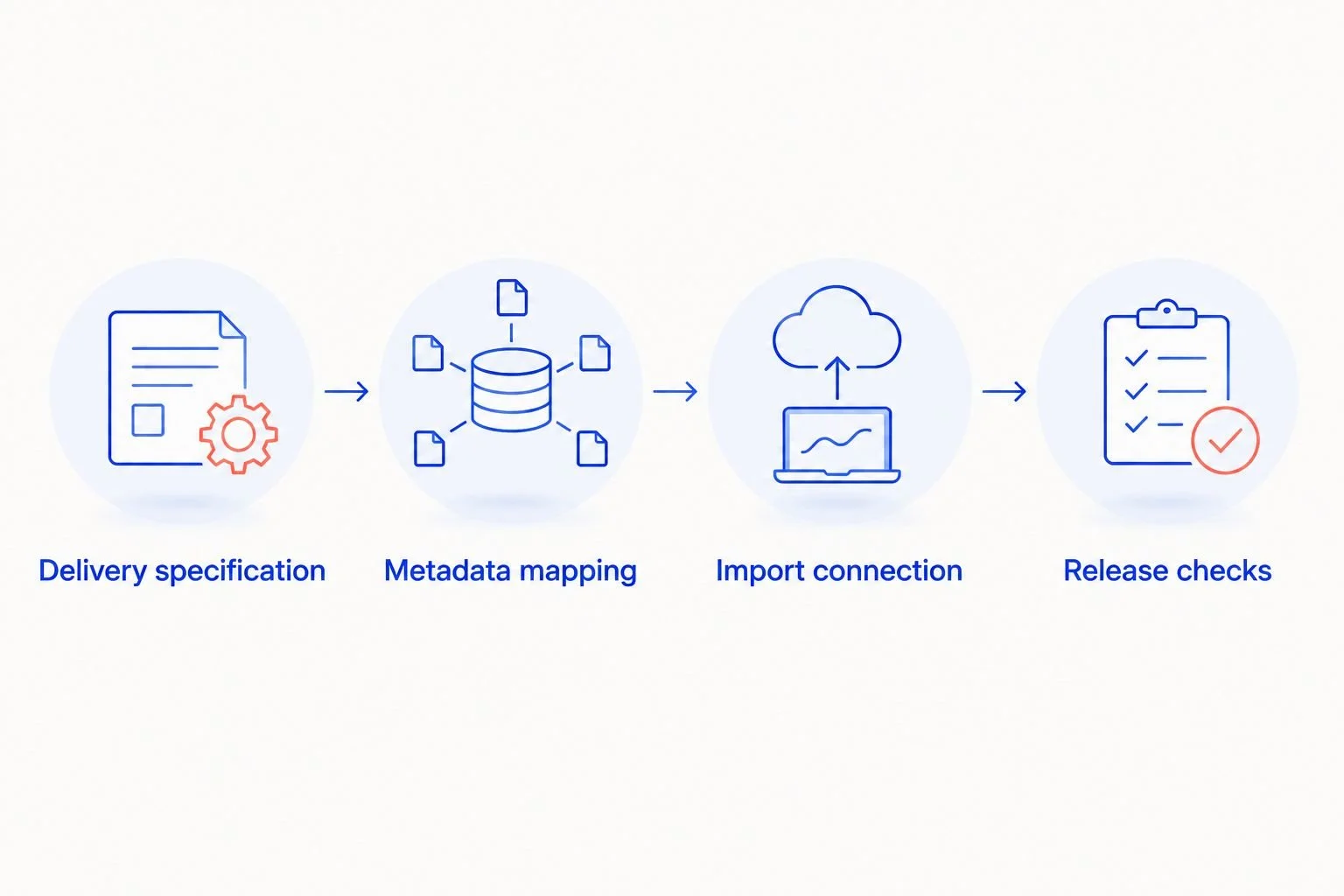
A successful upload still needs release checks before campaign teams use the files.
Release checks
The fourth configuration unit verifies what users receive, not just what the importer accepted. Best for: marketing teams preparing approved photography for distribution.
Build a test set of 3 assets: a product packshot, a texture or swatch image, and a campaign image. These are suggested test cases, not a required delivery package.
Import the test set with its manifest. Compare each DAM record against the original delivery and approval information.
Test with 2 user roles: an asset administrator and a marketing downloader. Confirm that each role sees and edits only the intended information.
Search using product identity and campaign metadata. Check that similar shades, fragrance variants, and packaging versions remain distinguishable.
Download an approved export. Inspect the downloaded file’s crop, dimensions, format, and color profile against the delivery specification.
Re-import 1 unchanged asset as a controlled repeat test. Confirm the result follows your documented duplicate or version rule.
Release the collection only after correcting failures. Record the owner and date of the release decision.
For a 2026 launch, run these checks before the full delivery reaches channel teams. A preview thumbnail is not proof that the downloadable file meets the brief.
Expected result: authorized users can find and download the correct approved asset, while restricted or incomplete records stay outside the release path.
Update the DAM whenever approved photography changes
A replacement workflow is different from a first upload. Use it when retouching changes, packaging changes, or a new crop supersedes an earlier export.
Best for: recurring campaigns with approved revisions. The advantage is a clear replacement history; the limitation is that a DAM update does not establish that downstream copies have changed.
Match the incoming revision to the existing asset identifier. Use the supported versioning mechanism when it preserves the identity you need.
Explain the change. Distinguish a retouch correction from a new product, new packaging, or a different composition.
Recheck affected derivatives. A corrected master does not prove that previously exported crops contain the correction.
Reset the relevant approval gate. Release the revision only after the responsible reviewer approves it.
Mark superseded assets according to your retention policy. Keep necessary history without presenting old exports as current campaign choices.
Notify owners of downstream placements. Require confirmation where files were downloaded, copied, or published outside the DAM.
Expected result: users can identify the current approved revision and understand which earlier exports it supersedes.
For the next 2026 delivery, include replacement instructions in the handoff brief rather than deciding them after a corrected file arrives.
Troubleshooting
The image is present, but product search misses it
Check the product identifier and metadata mapping first. A filename containing a SKU does not establish that the searchable SKU field was populated. Correct the record, then repeat the same search as the marketing downloader.
A repeated import creates duplicate assets
Check which identifier the intake uses to match existing records. Stop the recurring import until its behavior is understood, then test one existing asset before resuming. Remove duplicates according to your retention rules, not by deleting every older-looking file.
The thumbnail looks right, but the download is wrong
Inspect the actual downloaded export. Check whether the selected rendition is the intended crop and whether its dimensions and color profile match the delivery specification. Fix the export or rendition rule before releasing it again.
An approved image has unclear usage permissions
Keep it out of the publishable collection. Ask the rights owner to reconcile the asset record with the agreement or release; do not infer unrestricted permission from creative approval.
A revised master leaves an old crop in circulation
Trace the crop’s source relationship and regenerate or replace the affected derivative. Then contact the channel owner. Replacing the master in the DAM does not recall files already downloaded elsewhere.
Customize your workflow
Start with one campaign, then expand the same rules to adjacent deliverables. Add video only after defining its own review, metadata, and export requirements; still-image settings do not specify a video delivery.
Courtney Dailey Photography provides beauty and cosmetic product photography and video. When briefing that creative work, specify the deliverables your DAM workflow needs without assuming the photography service includes connector development or platform administration.
For skincare, distinguish packaging views from texture images. For makeup, retain the shade identity. For fragrance, distinguish the individual product from discovery-set or campaign compositions.
Add channel-specific fields only when someone uses them to make a decision. Extra metadata creates extra maintenance. Assign an owner before adding another required field.
FAQ
How do I connect beauty photography to a DAM platform?
Connect approved photography through a supported import method, then map its delivery manifest to your DAM metadata fields. Test search, downloads, permissions, and repeat imports before releasing the full campaign.
Do I need an API to connect photography deliverables to a DAM?
No, a supported batch import can connect files and metadata without an API. Choose an API-based workflow only when you have a repeatable requirement and someone responsible for implementation and maintenance.
Which metadata should beauty campaign photography include?
Include asset identity, product identity, campaign, shot type, variant, approval state, and usage information. Record license dates and restrictions from the governing agreement rather than assuming them.
Should I upload proofs and approved images together?
Keep proofs outside the publishable delivery path. If your team stores proofs in the DAM, separate their access and approval state so users cannot mistake them for campaign-ready files.
How do I replace a retouched beauty image without creating duplicates?
Match the revision to its existing asset identifier and use your DAM’s documented replacement or versioning process. Test whether metadata, approvals, and linked exports remain correct before releasing the revision.
Does connecting a DAM automatically update images in every channel?
A DAM connection alone does not establish that downstream images update. Verify each publishing integration and separately notify owners of downloaded or copied files.
Is Courtney Dailey Photography a DAM software provider?
Courtney Dailey Photography is a Los Angeles-based beauty campaign and cosmetic product photography business offering photography and video. Define DAM configuration and import ownership separately in your brand or agency workflow.
One last thing
Write the replacement rule before the first upload. Initial delivery gets attention, but a corrected label, changed crop, or updated retouch is where asset identity becomes critical.
For a 2026 campaign, the handoff is finished only when a user can identify the current approved asset and check its permitted use. Successful file transfer is not the same as a usable photography library.